AT

Alexandra Tragut
evulpo AI Lesson Generator
The Challenge
Teachers spend hours on administrative planning rather than teaching. We aimed to reduce this load by integrating AI directly into their workflow.
The Core Obstacles:
-
Adoption Barriers: Designing for a user base with widely varying AI literacy (from skeptics to power users).
-
Curriculum Alignment: Ensuring the AI didn't just generate generic text, but aligned with a specific pedagogical framework.
-
Time Constraint: Delivering a fully functional, trustworthy flow in a 3-week intensive sprint.
My Role & Scope
Role: Primary Product Designer (Collaborating with 3 Developers)
Timeline: 3-Week intensive sprint (design) + 6 Weeks for development
Process: End-to-end ownership (Discovery, User Studies, Final UI)
Deliverables: A complete new flow of creating a lesson plan that incorporates our existing content
Research: Moving Beyond Static Text
While other AI lesson generators on the market produced impressive text, they failed to offer actionable next steps, leaving users with a "dead end" output. To solve this, I conducted qualitative interviews to understand the teachers' current mental models and AI literacy.
I discovered that teachers weren't looking for a tool to do their job for them; they were already using AI as an inspiration engine to overcome "blank page syndrome." This insight drove us to design a flow that prioritized co-creation and flexibility over rigid automation.
Rapid Validation
Given the aggressive timeline, I prioritized rapid low-fidelity prototyping to validate the core interaction model immediately.
The results were decisive: Participants unanimously preferred the chat-based interface. While dropdowns felt restrictive, teachers described the chat flow as "collaborative" and "flexible".
.png)
Selection
Drop down
Chat Style
Chat Interface & Prompt Engineering
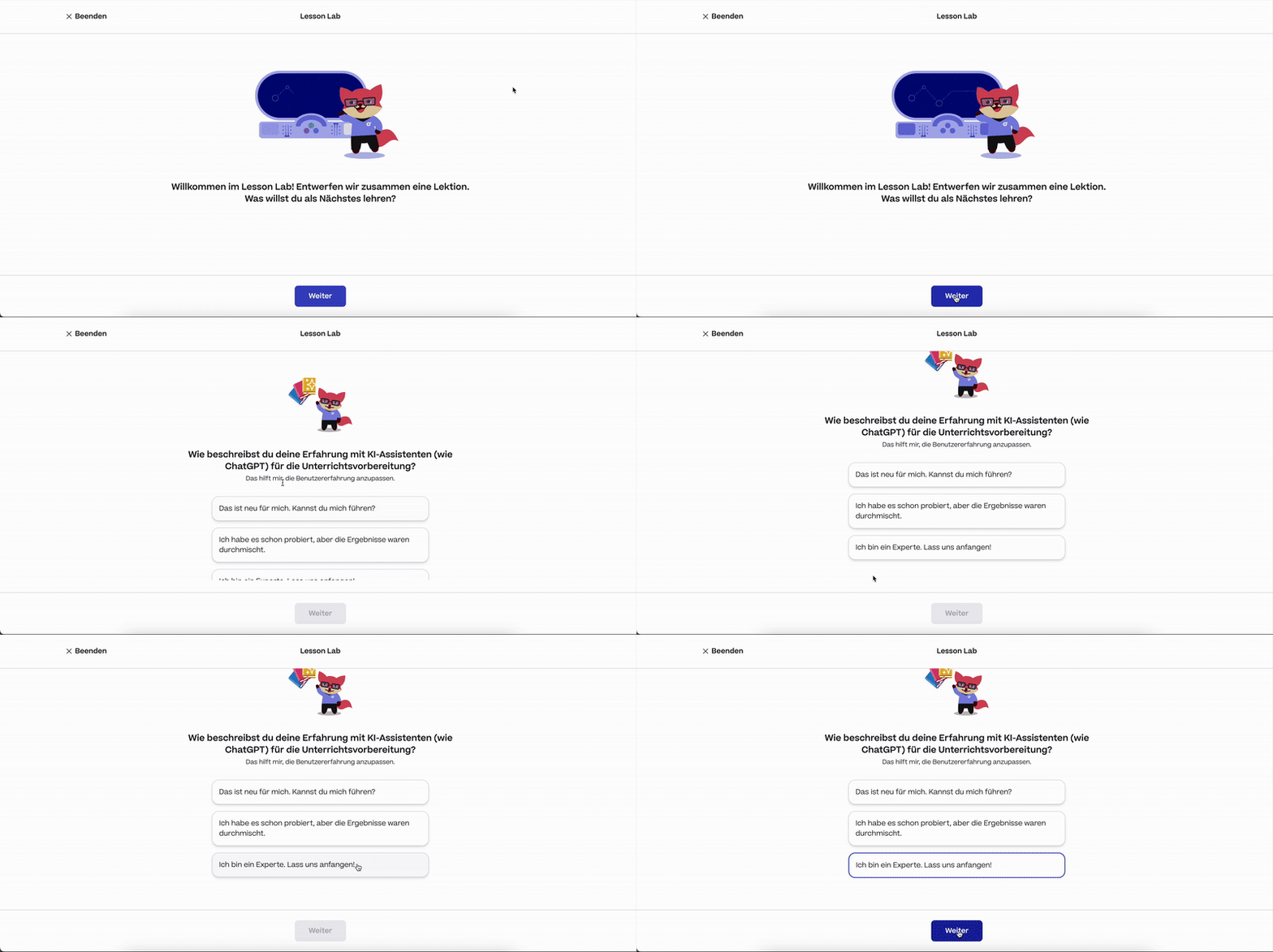
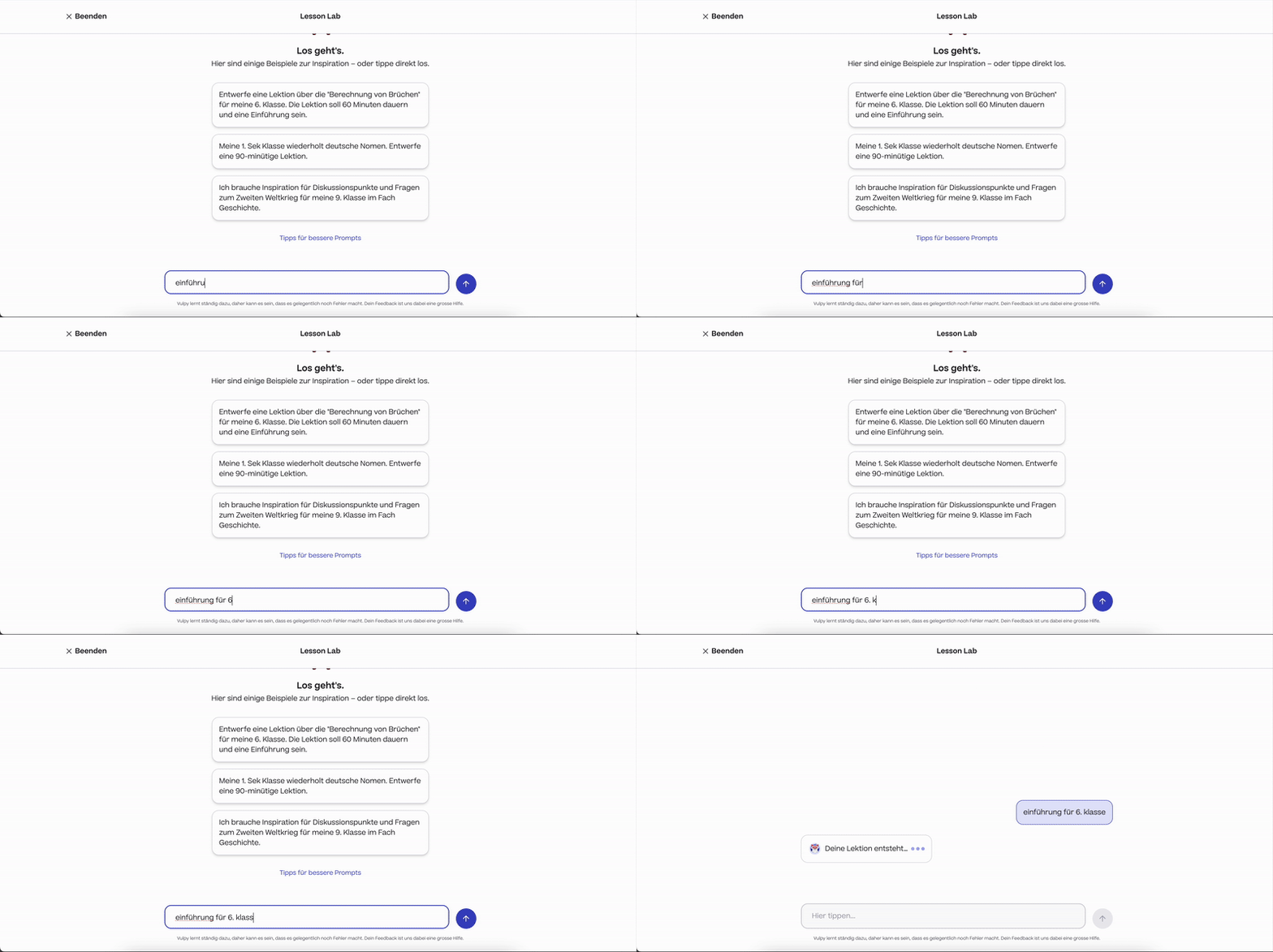
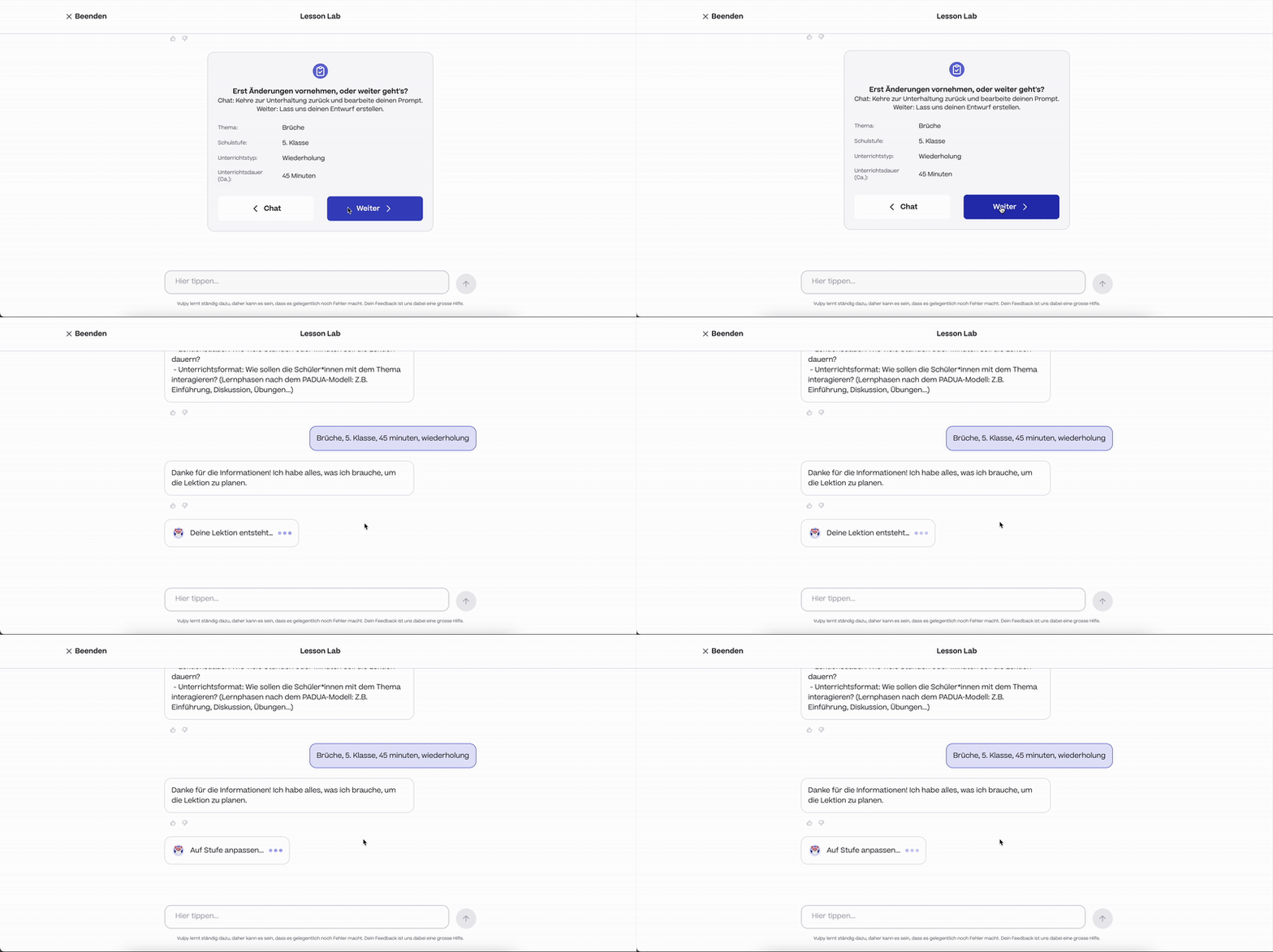
I developed two variations of the chat flow for A/B testing: a Guided Mode with suggestion chips to assist the user, and a Direct Prompting mode for advanced input.
Parallel to the UI design, I worked on the underlying "Prompt Engineering" to bridge the gap between the AI's output and our existing content system. Given the complexity of this matching logic, I defined a strict schema of essential variables needed to generate a valid lesson: Grade, Topic, Duration, and Lesson Type.

Guided Mode
Direct Prompting
Generating the Output
After finalizing the chat, the user clicks to generate their draft. In the first iteration, we tested a two-column interface that kept the chat history visible alongside the result. This was designed to allow teachers to cross-reference their original requests while reviewing the generated text.

Validating the Flows
I took both interaction models into qualitative sessions to answer two key questions: Which flow feels more natural? and How do teachers utilize the result?While our test group preferred the speed of Direct Prompting, we recognized that these teachers were early adopters. To accommodate the wider spectrum of digital literacy in our user base, we chose a hybrid strategy: implementing both flows and using a simple "Experience Level" selection during onboarding to route users appropriately.
.png)
Introduction
Mode Selection
Multi-Day Plans
We tested a feature for generating comprehensive multi-day schedules. User feedback was clear: teachers rarely stick to a strict script. They use AI for specific sparks of inspiration, not for rigid long-term planning.
Given this insight, we decided to halt development on this feature. Instead, we doubled down on the "Lesson Draft" concept, ensuring teachers had full control to accept, reject, or modify individual parts of a single lesson.

Translating Insights into Final Designs
Synthesizing the qualitative data, I advanced to high-fidelity prototyping with a focus on three strategic pillars: Reducing Cognitive Load via information architecture, Pedagogical Alignment with Swiss standards, and Trust-Based UX Writing.
Insight: Teachers found linear walls of AI-generated text overwhelming and difficult to scan during class preparation.
Decision: I reduced cognitive load by restructuring the lesson into modular components with collapsible states. I also added a persistent left-hand navigation to allow teachers to jump instantly between lesson segments.

Insight: Teachers felt pressure when "Saving" a lesson plan. They viewed the AI output as a messy sketch, not a final document, and hesitated to commit to it.
Decision: We pivoted the UX copy to utilize a "Drafting" metaphor. By labeling interactions as "Drafts" and "Inspiration," we lowered the psychological barrier to entry, encouraging teachers to experiment without the pressure of perfection.
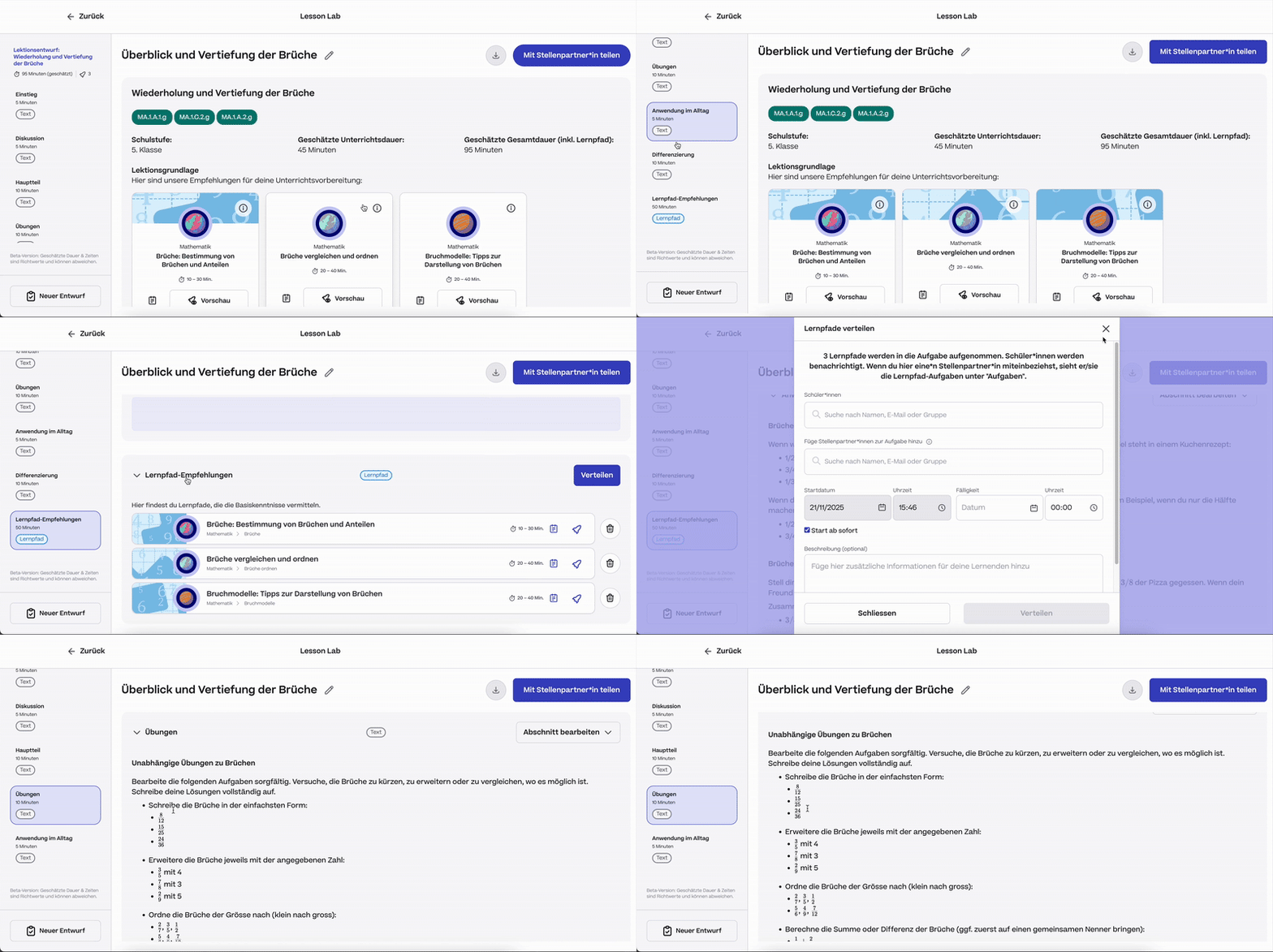
Insight: Swiss teachers operate within specific pedagogical frameworks (most notably the PADUA model). Generic AI structures didn't follow this flow.
Decision: I aligned the system prompts and UI structure to strictly mirror the PADUA stages (Problem, Build-up, Work-through, Practice, Apply). This ensured the tool fit their professional mental model, significantly increasing user adoption.
Share
Lab
Draft
Inspiration
The Solution: A Trust-Based Interface

Guided Mode
Lesson Draft Page
Going Forward
Takeaways
What I learned: I learned that when designing for AI, users prefer 'Human-in-the-loop' systems. Teachers didn't want the AI to do the work for them; they wanted a creative spark that they could then refine. This shifted our strategy from 'Automation' to 'Co-creation